


Low-Code and Graphical
Model complex business logic using drag-and-drop business rule designer functionality. Configure settings with a powerful point-and-click interface. Easily validate the semantics and structure of models.

Simulate and Debug
Simulate and debug the execution step-by-step by passing in sample or real data. Step in to the details, pause and resume the execution in real-time to visually check the behavior of models.

Web Components
Expose the right amount of models to business users. Integrate rule authoring such as Decision Table and Natural Language into your web applications using Web Widgets.

Unified Platform
Model all types of business logic (Business Decisions, Rules, Process, Data and Analytics, Workflow and Robotics) in Governed, Situation-aware, and Open platform. Create test scenarios to ensure quality is retained during changes.
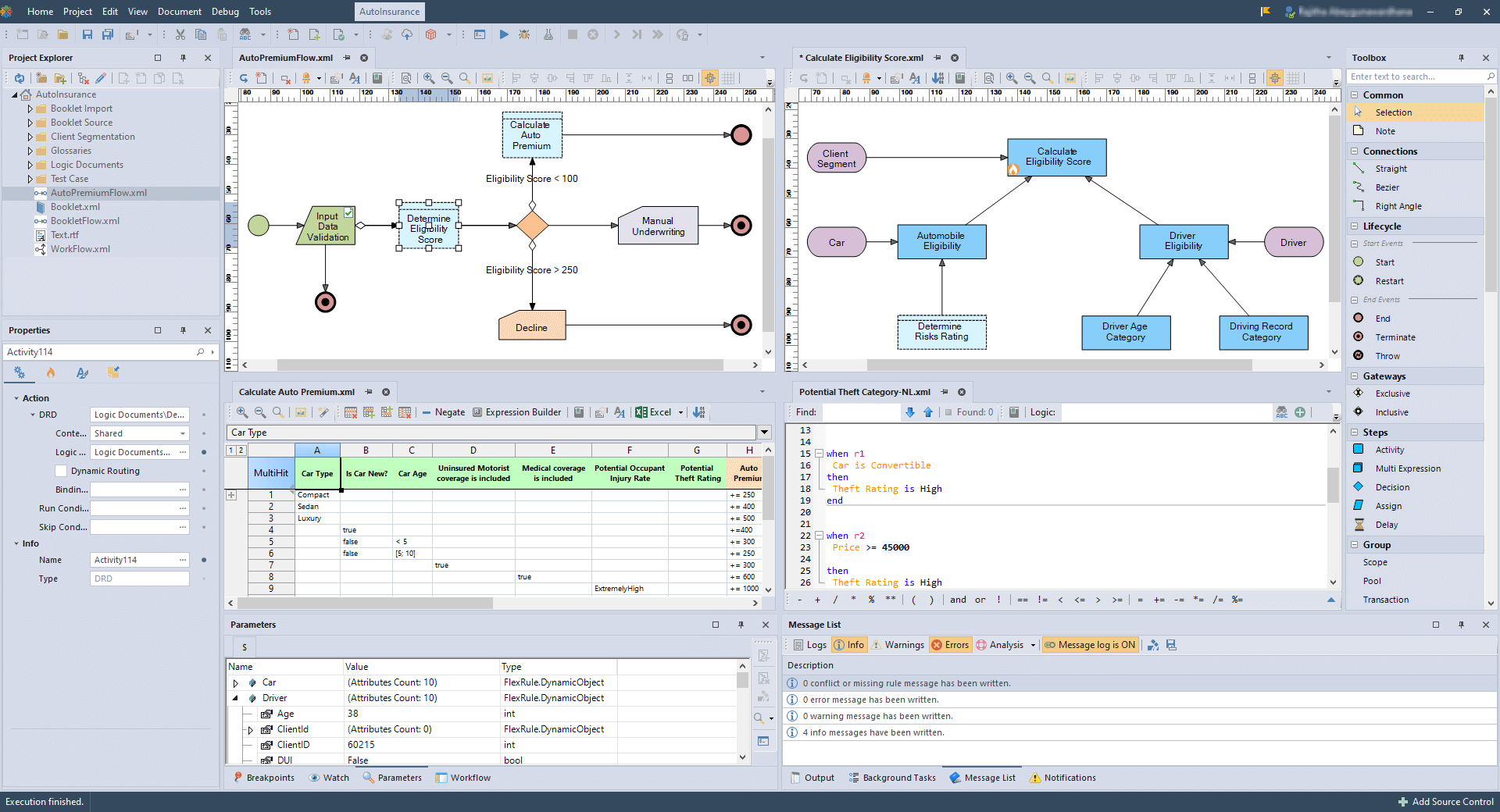
Unparalleled Collaboration for Successful Decision Automation: Enabling Easier and Faster Collaboration for Seamless Decision-making
A successful decision automation project requires collaboration between different team members. FlexRule Designer enables collaboration with an intuitive and easy-to-use user interface.
FlexRule Designer provides a built-in integration with GIT (and soon other source control systems) enabling teams to collectively work on a decision automation project.
- A centralized repository either on-prem or cloud for all the project’s files
- Working on different parts of decision automation project without interference
- Adapting to your own internal workflows and change management processes with ease
- Manage distributed back-up servers whenever and wherever you need (i.e., on-prem or cloud)

Processes and Decisions
Model Process Flows, Workflows and Business Decisions
Business Decision
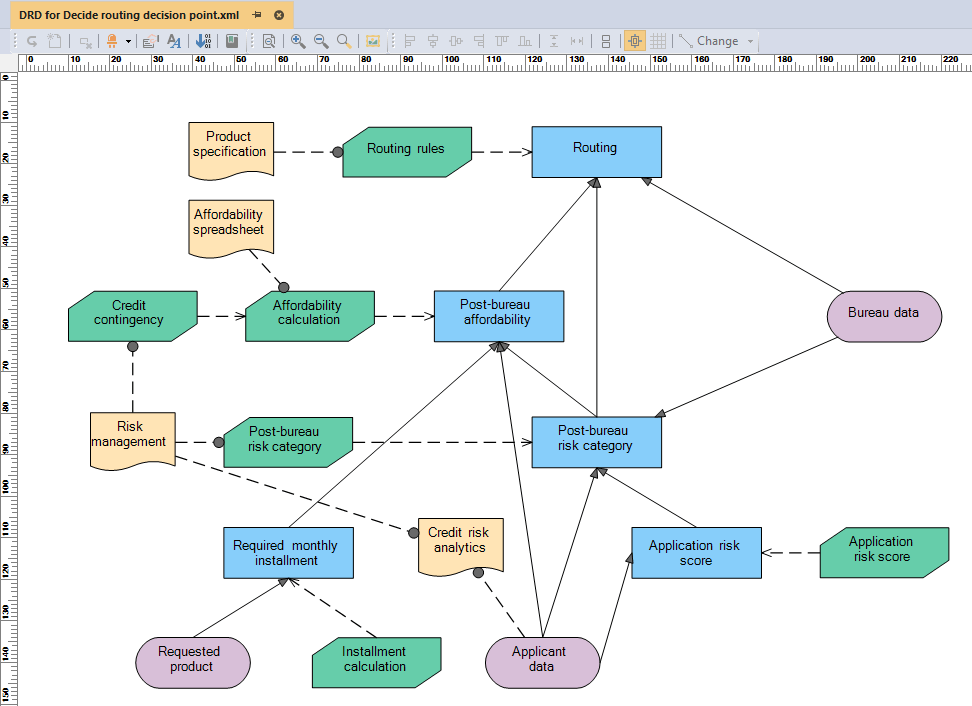
Frame business decisions using a Decision Graph and integrate all elements and sub-decisions of a decision-making process.
Human Workflow

Model end-to-end business processes that involve human tasks, decision making, business rules and robotics.
Robotics
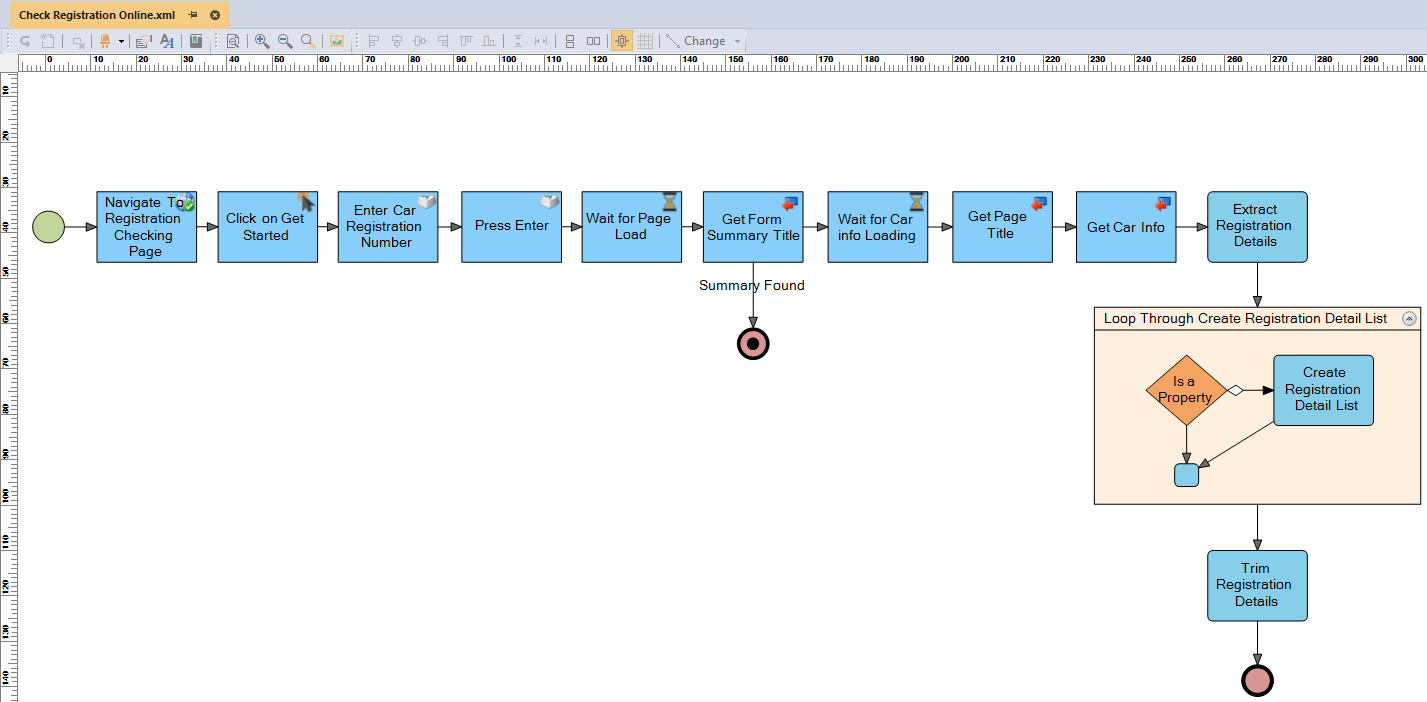
With a business rule designer you can model steps of workflow automation using robotics to mimic human interaction.
Data and Information
Model Data Structures, Validations and Data Flows
Fact Concept
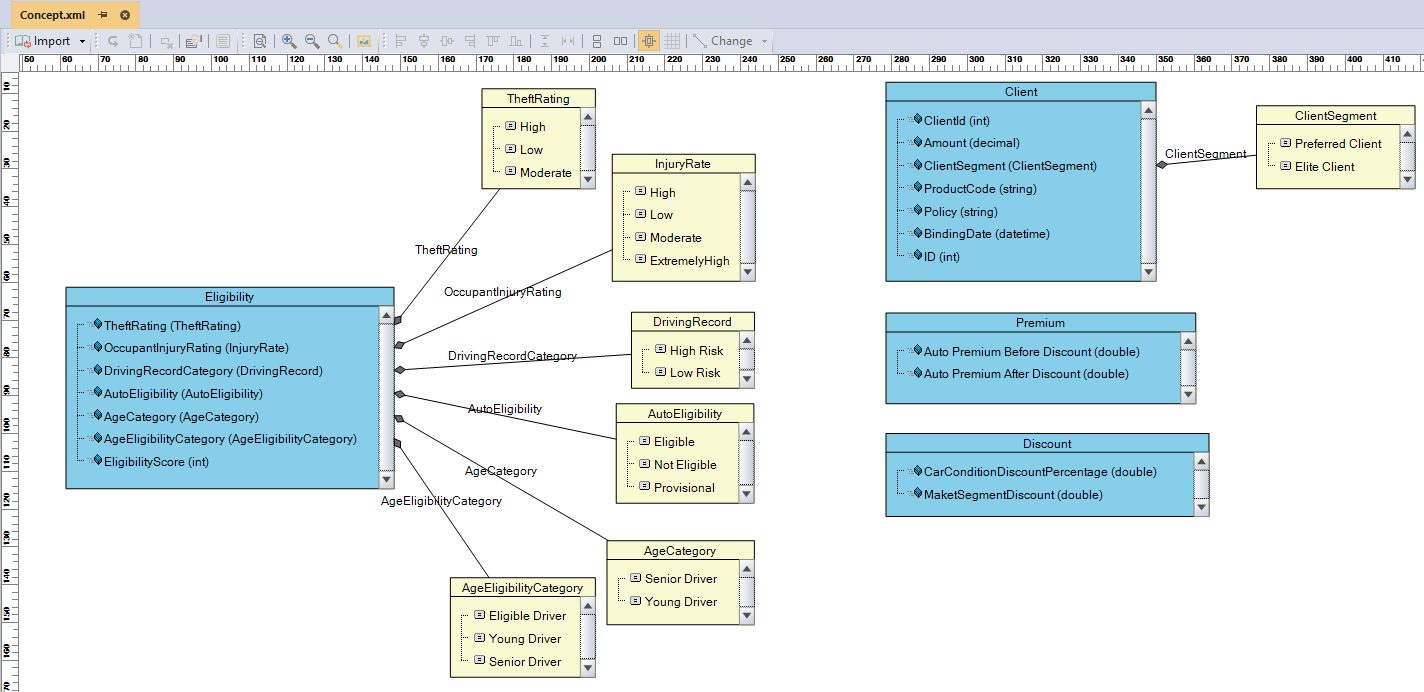
Model data exchange for standardizing and defining types of inputs and outputs with built-in validation capability.
Information Requirement Diagram
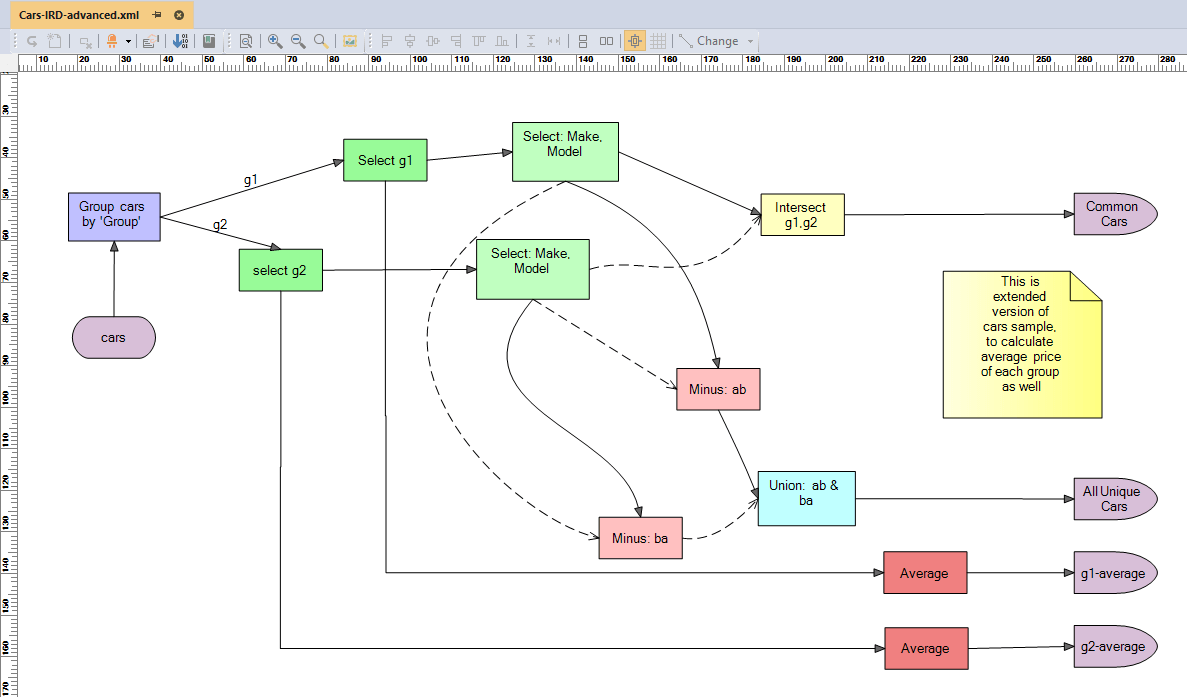
Model data flow to create outputs from inputs while transforming them through data operations.
Interactive Shell

Evaluate expressions on-the-fly using an interactive shell to load data from different sources and run predictive analytics or other data operations.
Business Rules
Express Business Rules clearly and declaratively using different methods
Natural Language

Model business rules using Business Glossary and Terms. Create your own Domain-Specific Language (DSL) and extend it.
Decision Table

Use tables to create rules. Very simple to use and popular with less techie people. Simply Import from Excel.
Tree and Sub-Tree

Model business rules in a procedural style using nested nodes to represent business rules.
Composite AI model for
Decision Intelligence





